
Hytale Skin Gallery Is Live — Browse, Download & Upload Community Skins
By AlaHytale — March 22, 2026
AlaHytale proudly announces the launch of the Hytale Skin Gallery — a dedicated community space where you can browse, preview, download, and share custom Hytale character skins. Whether you're looking for creative inspiration, want to show off your pixel artistry, or simply want to explore what the community has been crafting, the gallery is now live and open to everyone. No account is required to browse or download — just open the page and start exploring.
What Is the Hytale Skin Gallery?
The Skin Gallery is a public collection of Hytale character skin textures created and shared by the AlaHytale community. In Hytale, a skin is a 256×128 pixel PNG texture that wraps around the 3D character model — defining clothing colours, facial details, accessories, and every other visual element of your avatar. The gallery brings these creative works together in one organised, searchable place, giving every skin proper credit, statistics, and a full detail page.
Unlike a simple file repository, the gallery treats each skin as a first-class entry: it has a title, an author, upload date, view and download counters, optional tags, and a description written by the creator. Each skin also gets its own dedicated URL with an interactive 3D viewer and a 2D texture view, so you can examine the artwork from every angle before deciding to download.
Browse and Sort the Gallery
The gallery uses a clean, responsive grid layout — two columns on mobile, three on small tablets, four on medium screens, and five on desktop. The layout adapts automatically, so the experience is comfortable on a phone and immersive on a wide monitor.
At the top of the page, four sort modes let you control which skins appear first:
What Each Skin Card Shows
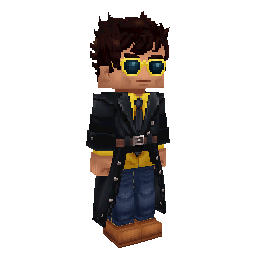
Every card in the grid gives you a compact snapshot of the skin at a glance. The card thumbnail renders the texture with pixel-perfect rendering — browser image smoothing is disabled so the sharp, blocky Hytale art style is preserved exactly as the artist painted it.
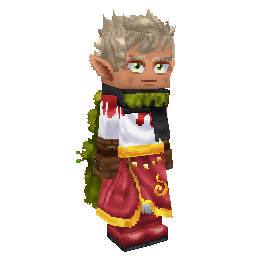
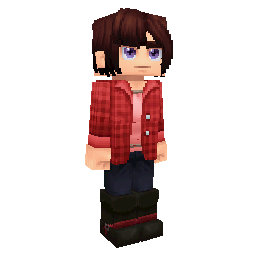
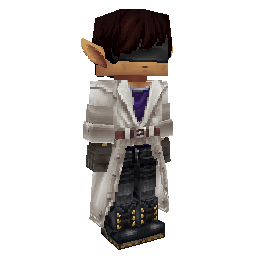
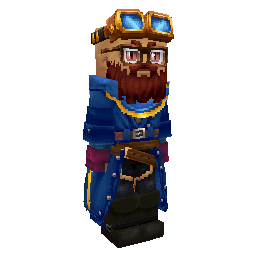
The gallery grid as it appears on the Skin Gallery page
Each card shows the skin name, views, downloads, author, and date. Hovering over a card on desktop lifts it slightly and highlights the border in gold. Clicking any card takes you to the full skin detail page.
The Skin Detail Page — 3D Viewer and Downloads
The individual skin page is where the gallery really comes alive. The centrepiece is an interactive 3D viewer built with Three.js. It renders a full Hytale character model with the skin applied, loading the GLB file from hytlskins.com using the skin's recipe data. You can rotate the character, inspect it from all sides, and get a true sense of how the skin looks in three dimensions — right in your browser, no plugins needed.
If you prefer to study the raw artwork, a 2D viewer toggle switches the display to the flat 256×128 PNG texture. This is useful for examining UV layout and individual skin components in detail.
Upload Your Own Skin
Ready to contribute? Head to the Upload page to share your work with the community. Uploading requires a free AlaHytale account — browsing and downloading remain open to everyone without registration.
Community Upload Rules
Uploads that violate these rules will be removed. Repeated violations may result in account suspension.
Who Is This For?
Available in Six Languages
The entire Skin Gallery — the gallery listing, skin detail pages, upload form, validation messages, and status labels — is fully localised in all six languages AlaHytale supports: English, Russian, Ukrainian, Spanish, German, and French. Every visitor sees the interface in their preferred language automatically.
Visit alahytale.com/skins to start browsing community Hytale skins. Have a skin of your own? Upload it here and share it with players around the world. You can also explore creator profiles using the Player Lookup tool.